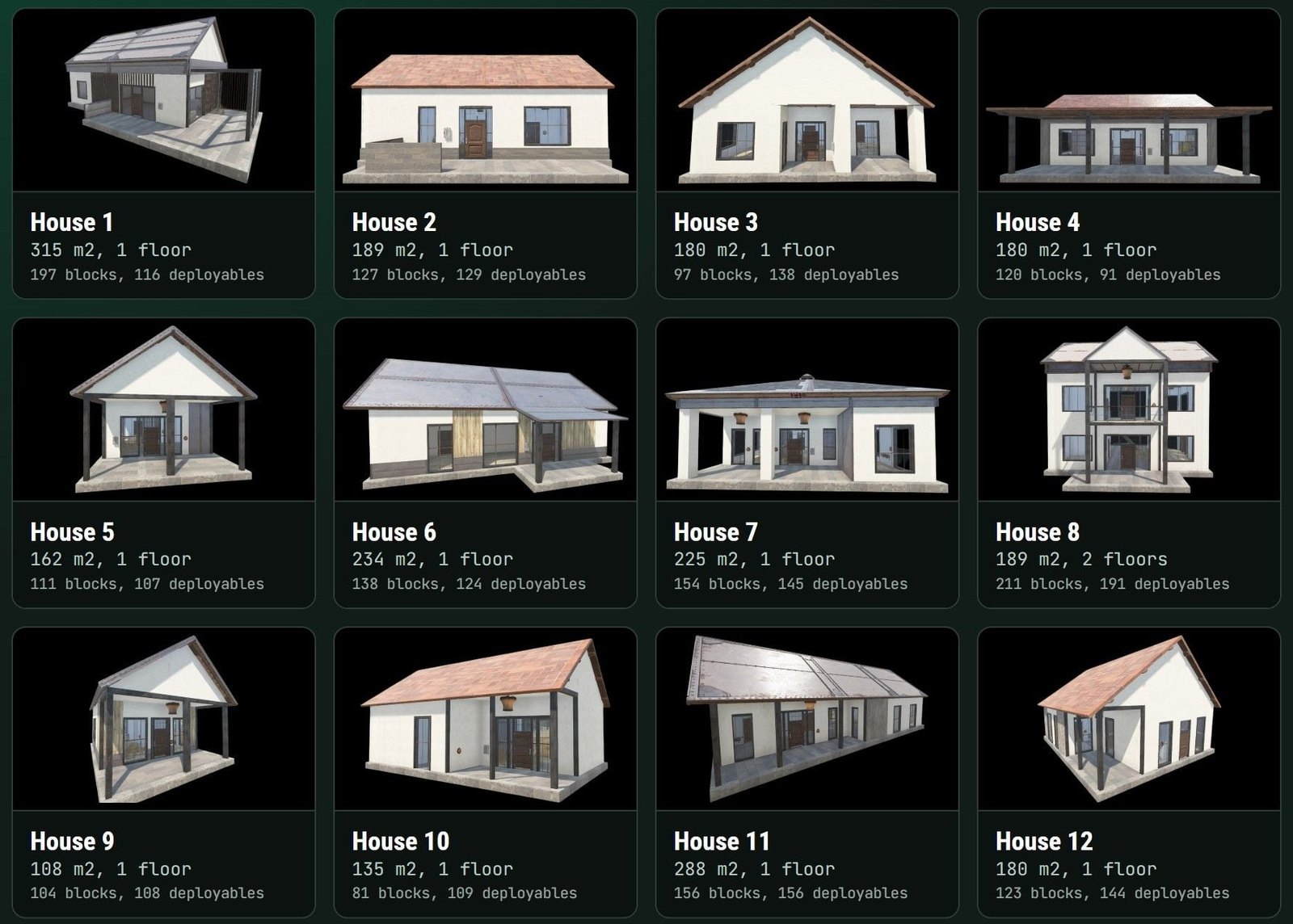
Buy a ready, furnished house and place it anywhere you like. Kitchen, bathroom, lamps, heaters and storage are already inside.
HOW TO GET ONE
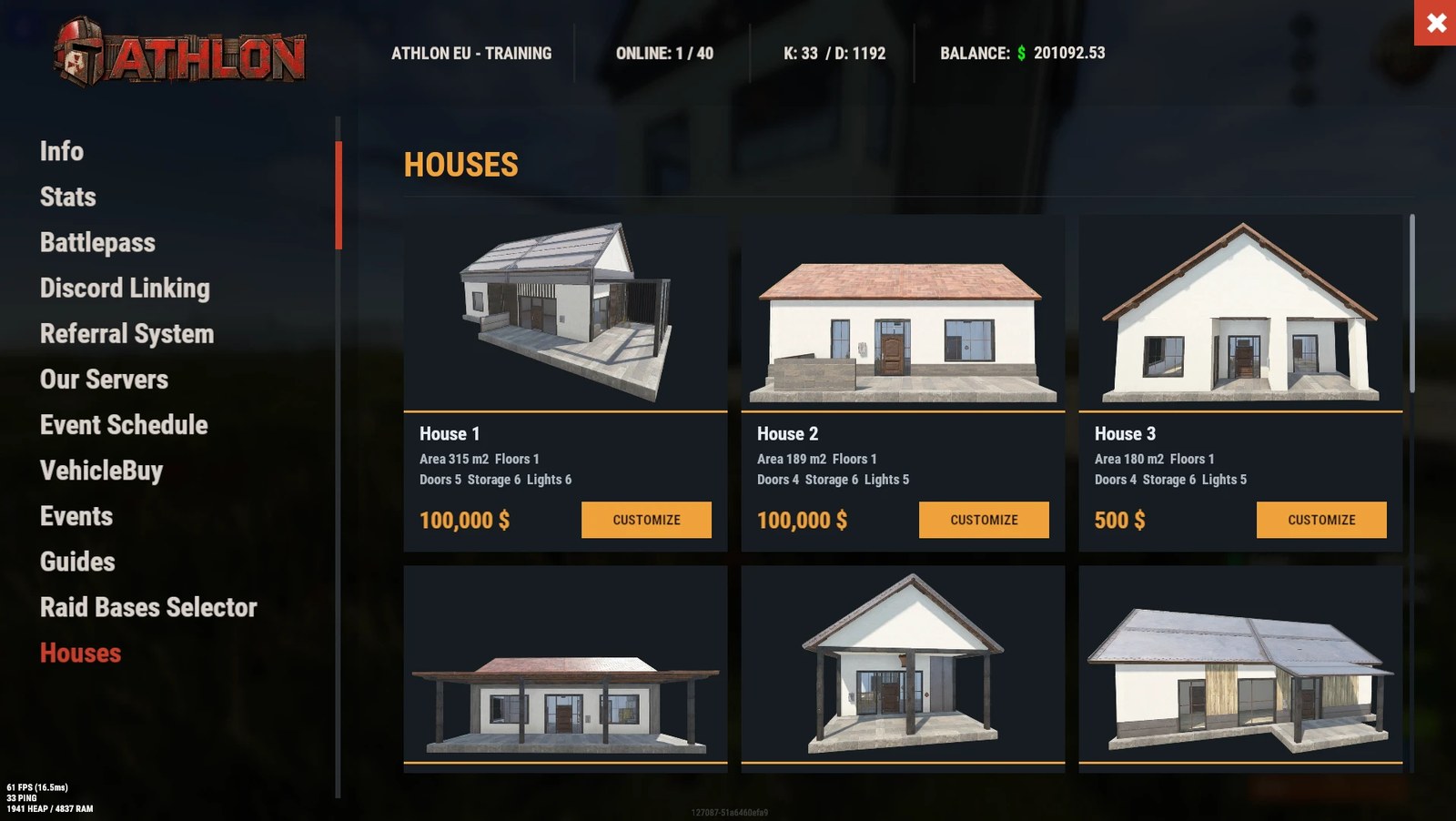
– Open the panel -> “Houses” (or type /house). Pick one of 13 houses: area, floors, doors and storage are on the card.
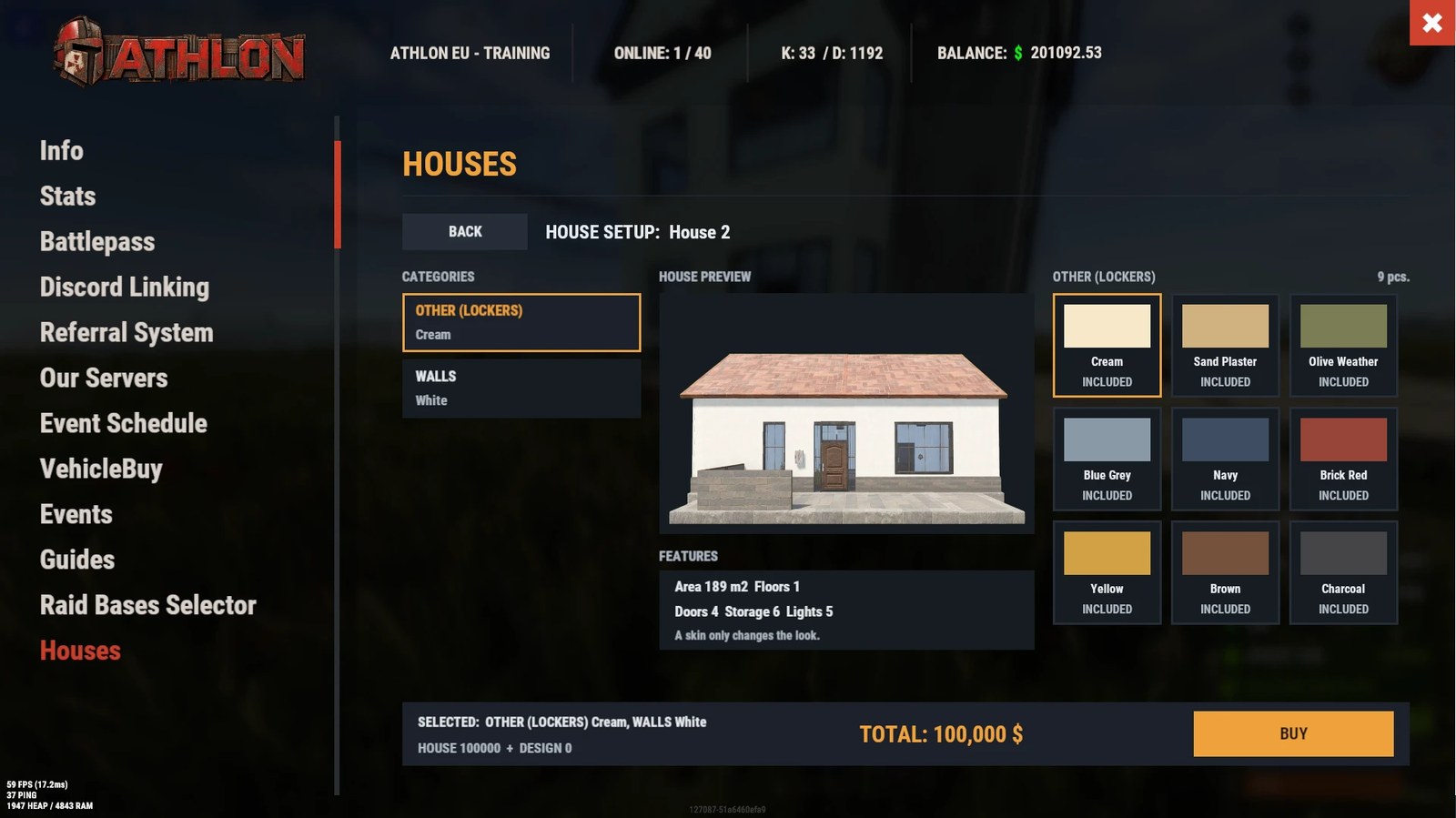
– Press “Customize”: choose the wall color and the house color, check the total price and press Buy. The money is taken from your balance ($) and the house kit lands in your inventory.
– The kit is a large wooden box with the house skin. Place it on flat dry ground: the house builds 2.5 m in front of you. A bad spot gives the kit back.
LIVING IN IT
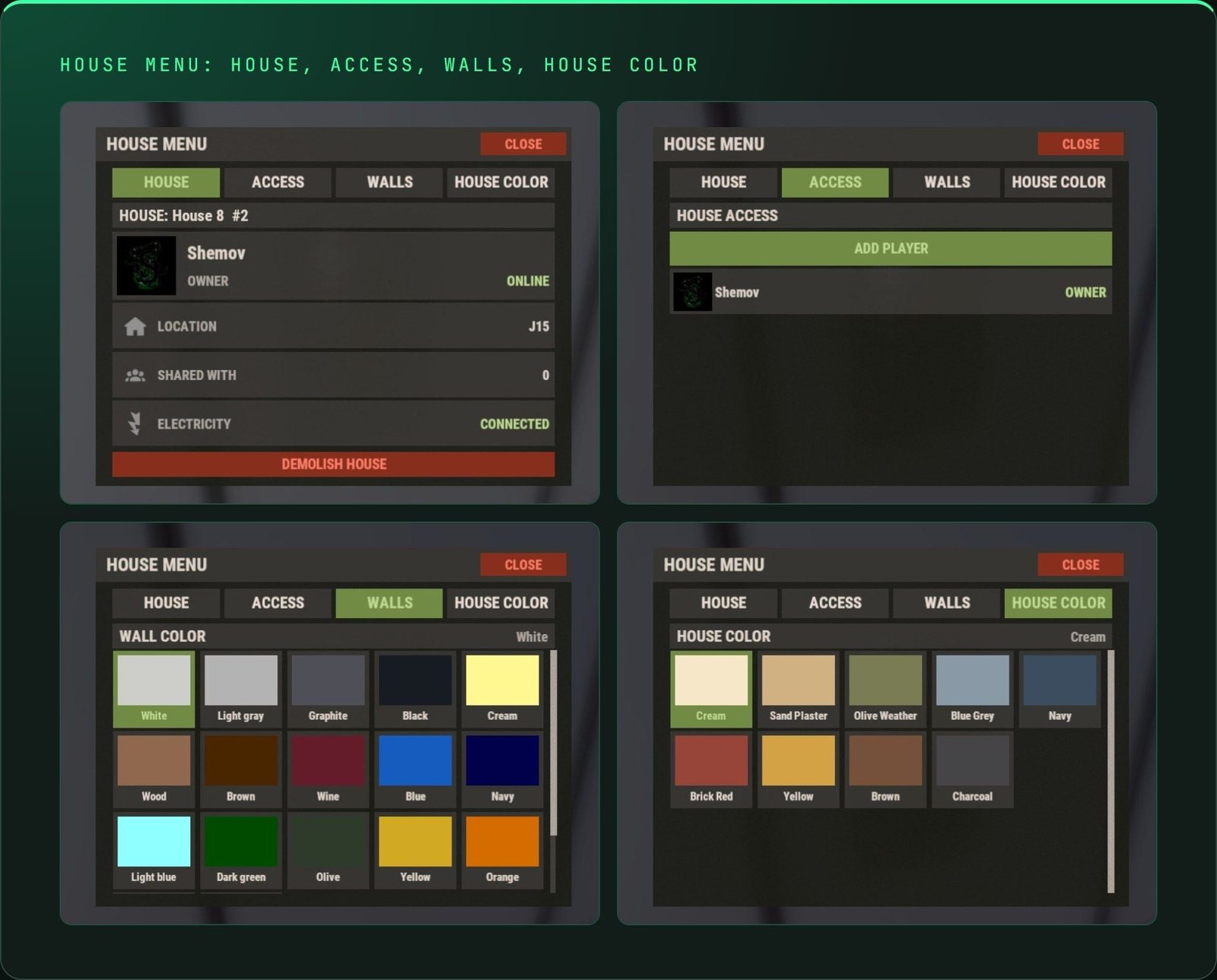
– Open the splitter with E: the house menu has 4 tabs – House (owner, location, electricity, demolish), Access, Walls, House color. You can repaint any time.
– Share the house with friends: /house auth add , also remove, list and clear. Only the owner changes the list.
– Strangers cannot open your doors or loot your storage, and cannot build blocks or a cupboard within 16 m of your house.
– The house frame cannot be rebuilt, but you can put your own furniture and items inside.
COMMANDS
– /house – catalog. /house list – your houses. /house info [number] – owner, design, access list.
GOOD TO KNOW
– Up to 3 houses per player. A house cannot stand near monuments, roads or safe zones. At wipe the houses go with the map.
.